


Most people use these two terms as if they mean the same thing. They don’t. A password reset is quick and works when you still have access to your registered phone or email. Account recovery is a longer process for when you’ve lost access to everything. Knowing which situation you’re in will save you a lot of wasted time.
What Is the Difference Between Password Reset and Account Recovery?
A password reset lets you set a new password by getting a reset link sent to your registered email address. Account recovery, on the other hand, involves extra steps beyond just resetting your password. Those extra steps are there to prove you actually own the account.
Think of it this way. A password reset is like asking your neighbour to let you in because you forgot your key, and you can prove it’s your house with your ID. Account recovery is what happens when you’ve lost your ID too, and you have to convince the housing society office you live there.
The confusion happens because many apps and websites use these terms interchangeably. But the process behind them is very different.
When Should You Use Password Reset?
Use the password reset option when:
- You remember your registered mobile number or email address
- You can receive an OTP (one-time password) on your phone or email
- Your account is not locked or flagged for suspicious activity
Most platforms send a password reset link or OTP to your registered email or mobile. If you don’t receive it within two hours, you can follow the reset process again. Always check your spam folder before trying again, because Gmail and other email apps sometimes filter these messages automatically.
A password reset is the right choice for nine out of ten I forgot my password situations in India. It’s fast, usually takes under five minutes, and works entirely through your phone.
When Do You Need Full Account Recovery?
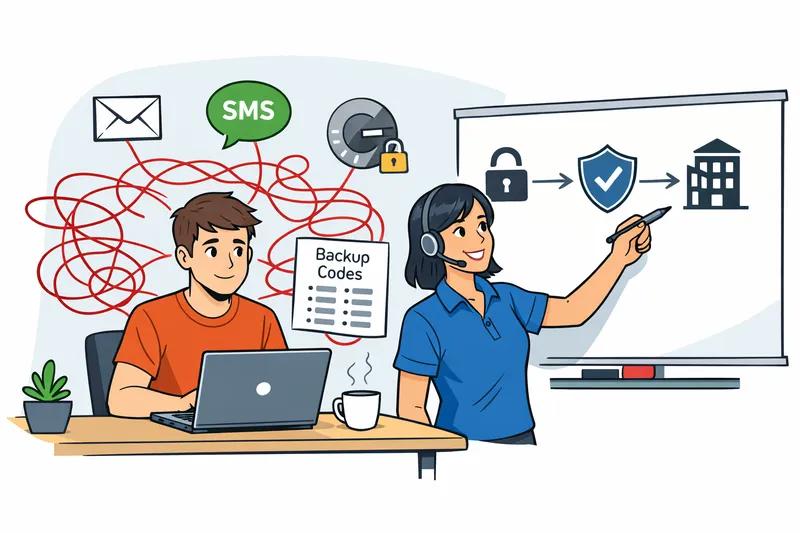
Account recovery becomes necessary when you can’t complete the password reset. This usually happens when:
- You changed your phone number and didn’t update it in the app
- You lost access to the recovery email address
- Your account was hacked and the attacker changed your contact details
- You entered the wrong OTP too many times and got locked out
Google, for example, temporarily disables a particular account recovery option after too many incorrect attempts. The recovery option is re-enabled on a date shown below that option, and in the meantime you can try a different recovery method.
Account recovery is harder because you have lost access to the authenticators the service normally relies on. The same recovery path is available to the real account owner who has lost a device and to an attacker trying to get around normal sign-in. This is why platforms ask difficult identity questions during account recovery. It’s not to make your life hard; it’s to keep fraudsters out.
Password Reset vs Account Recovery: A Simple Comparison
| Situation | What You Need | Which Process |
|---|---|---|
| Forgot password, phone number is same | OTP on mobile or email link | Password Reset |
| Changed phone number, old number inactive | ID proof, support contact | Account Recovery |
| Account hacked, email also changed | ID verification, appeal form | Account Recovery |
| OTP not arriving but number is correct | Check spam, retry after 2 hours | Password Reset (retry) |
| Locked after too many wrong attempts | Wait for unlock window, then OTP | Password Reset (delayed) |
How Does This Work on Lotus365?
For users of the platform, the process follows a standard two-step approach. If you’ve simply forgotten your password, the lotus365 win page has a Forgot Password option right on the login screen.
The recovery process typically asks you to submit registered account information such as a mobile phone number, email address, or username. After that, users receive a one-time password via SMS or email to verify their identity. Once verification is completed, users may create a new password and regain access.
If the automated process doesn’t work because your registered number is no longer active, you’ll need to go through customer support. In cases where automated recovery steps are unsuccessful, customer support services may provide additional assistance through channels such as live chat, WhatsApp, or email. Users may be asked to provide verification details to confirm account ownership.
For users who prefer using the mobile app, the lotus365 apk version includes the same recovery options available on the web, accessible directly from the login screen.
Important note: Online betting and gaming platforms are subject to different rules across Indian states. Some states permit online gaming under specific conditions; others do not. Check the legal position in your state before using any betting platform. If you are below 18 years of age, such platforms are not permitted for you.
Why Is My Reset Link Not Working?

This is one of the most common questions users ask. There are a few reasons a reset link may fail:
The link sent in a password reset email expires after two hours from the time the request was raised. You need to follow the password reset procedure again to receive a new link.
Other common reasons include clicking the link from a different device or browser than the one you used to request it, or having multiple reset emails in your inbox and clicking an older one by mistake. Always use the most recent email and click the link as soon as possible.
What If Someone Else Is Trying to Reset Your Password?
This is a security risk worth understanding. Password resets are a weak form of account recovery targeted by fraudsters. If a criminal gains access to your email account, they could easily reset your password and access any of your other accounts.
This is exactly why security experts recommend using a different email address as your recovery contact than the one you use daily. It creates a separation. If your main inbox is compromised, your recovery email is still safe.
Never click a password reset link that you did not request yourself. If you receive an unsolicited reset email, ignore it and immediately change your email password as a precaution. Also consider enabling two-factor authentication (2FA) on all important accounts. You can read more about safe account practices on the CERT-In official advisory page.
What to Do Next
Before you face a lockout, take ten minutes to do these three things. Open each important app, go to the security or profile settings, and check that your registered mobile number and email address are current. Update anything that has changed. Then write down or store your login credentials somewhere safe, separate from your phone.
If you are already locked out, start with the password reset option first. Only move to account recovery if you cannot receive an OTP or access the reset email. And if both options fail, contact the platform’s support team directly with your account registration details ready.