


If you have ever been told to use a strong password but had no idea what that really means in practice, you are not alone. Millions of Indian users pick passwords like their phone number or pet’s name, and then wonder how their account got hacked. A passphrase is a smarter way to protect your accounts, and once you understand how it works, you will never go back to weak passwords.
What Is a Passphrase, Exactly?
A passphrase is a sequence of random words used as a password. Instead of something like R@j3sh#99, you would use something like blue mango train socket. It is longer, easier to remember, and much harder for a computer to guess.
The key word here is random. The words must not form a sentence that makes obvious sense. Lyrics from a Bollywood song, a famous Urdu couplet, or your mother’s name followed by your birth year are not good passphrases because attackers already try those patterns.
Length is what makes a passphrase strong. A 20-character passphrase made of four random words gives your account far more protection than an 8-character password with symbols.
Key Terms You Should Know
Entropy: This is a measure of how unpredictable your passphrase is. More entropy means harder to crack. Adding one more random word roughly doubles the difficulty for an attacker.
Dictionary attack: Hackers use programs that try thousands of common words and phrases per second. If your passphrase contains a common phrase or quote, it may appear in their list.
Brute force attack: A program tries every possible combination until it finds the right one. A longer passphrase takes exponentially more time to crack this way.
Credential stuffing: This is when a leaked password from one website is tried on others. If you reuse a passphrase, one data breach can unlock several of your accounts.
Salt and hash: When a website stores your passphrase properly, it does not save the actual words. It saves a scrambled version. Some websites still do not do this correctly, which is why your passphrase must be unique for every account.
How Passphrases Differ from Passwords
| Feature | Typical Password | Passphrase |
|---|---|---|
| Length | 8 to 12 characters | 15 to 30+ characters |
| Easy to remember | Sometimes | Usually yes |
| Easy to type on mobile | Yes | Moderate |
| Strength against brute force | Low to medium | High |
| Works with password manager | Yes | Yes |
CERT-In, India’s government cyber security agency, recommended using passphrases of at least 15 characters in its 2023 account security advisory. NIST, the global standard body for security, also updated its guidelines in 2024 to prefer long passphrases over short complex passwords.
Risks That Indian Users Face

India recorded over 13.91 lakh cybercrime complaints in 2023 according to the NCRB Annual Report 2023. Many of these started with a weak or reused password. Here are the specific risks that apply to Indian users.
Phishing in regional languages. Attackers now send fake messages in Hindi, Tamil, Telugu and other languages, pretending to be banks or government portals. If you enter your passphrase on a fake site, its strength does not help at all.
SIM swap scams. Your passphrase protects your account, but if an attacker ports your mobile number to a new SIM card, they can bypass two-factor authentication. Passphrases are one layer. They are not the only layer.
Shared devices. In many Indian households, family members share phones or laptops. A passphrase saved in the browser on a shared device is accessible to anyone who opens that browser.
Weak recovery options. Many people set security questions like mother’s maiden name or school name, information that is often visible on social media. A strong passphrase loses its value if the account recovery path is easy to guess.
For those using gaming or betting platforms, responsible platforms like those built around lotus365 win should always encourage users to set strong, unique account credentials. Account security is the user’s responsibility regardless of the platform.
Practical Checks for Your Passphrase
You do not need technical tools to run these checks. Go through each one.
Check 1: Is it at least 15 characters?
Count the characters including spaces. If it falls short, add another random word.
Check 2: Are the words truly random?
Ask yourself: would someone who knows me well guess this? If the answer is possibly yes, it is not random enough.
Check 3: Does it appear in any known leak?
Visit Have I Been Pwned and enter your email address. If your email appears in a data breach, change the passphrase used on that service immediately.
Check 4: Is it unique to this account?
Never reuse a passphrase across accounts. Google’s 2024 data found that 1 in 4 Indian users reuse the same password across multiple accounts. That is the single biggest risk.
Check 5: Where are you storing it?
Writing it on a sticky note under your keyboard is not safe. A trusted password manager, such as Bitwarden free and open source, stores passphrases securely and fills them in for you.
If you manage multiple accounts or an app that requires a separate login, it helps to keep credentials organised. Some users who manage both a browser login and a mobile app, such as the lotus365 apk version of an app, benefit from using a password manager that works across devices rather than relying on memory alone.
When a Passphrase Is Not Enough
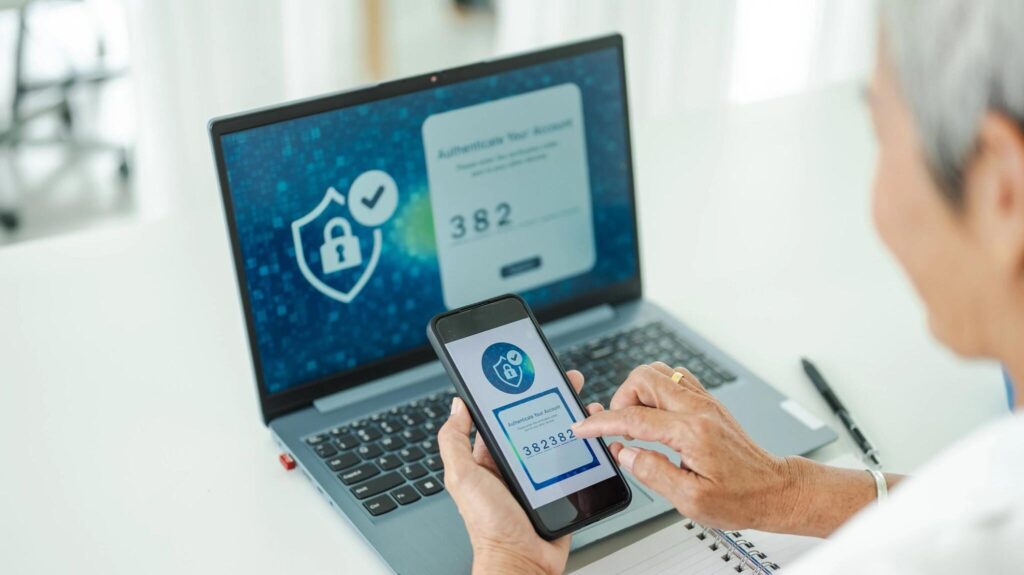
A passphrase protects the entry point. It does not protect everything after that. Always pair it with two-factor authentication (2FA), where your phone confirms every login. Avoid using SMS-based 2FA where possible; authentication apps like Google Authenticator are more secure.
Also remember: if a website stores passwords in plain text not hashed, even the strongest passphrase is exposed in a breach. You cannot control how a website stores your data, which is why uniqueness across accounts matters so much.